


Five practical ways to build, operate, and improve workflow orchestration with qibb AI Copilot.

qibb AI Copilot helps teams understand, troubleshoot, improve, and document workflows faster, directly inside the qibb platform.
Building workflows is only part of the challenge.
As automation projects grow, teams spend just as much time understanding existing logic, troubleshooting issues, reviewing monitoring data, optimizing workflows, and keeping documentation up to date.
That work is essential, but it rarely moves as fast as teams would like.
qibb AI Copilot was designed to support teams across the entire workflow lifecycle. Embedded directly within the qibb platform, it acts as an intelligent assistant that helps users understand, improve, and maintain workflows using natural language.
Whether you are building new automations, onboarding team members, troubleshooting production issues, or preparing documentation for audits, qibb AI Copilot helps reduce manual effort and speed up decision-making.
Here are five practical ways teams use qibb AI Copilot today.
1. Understand workflows faster
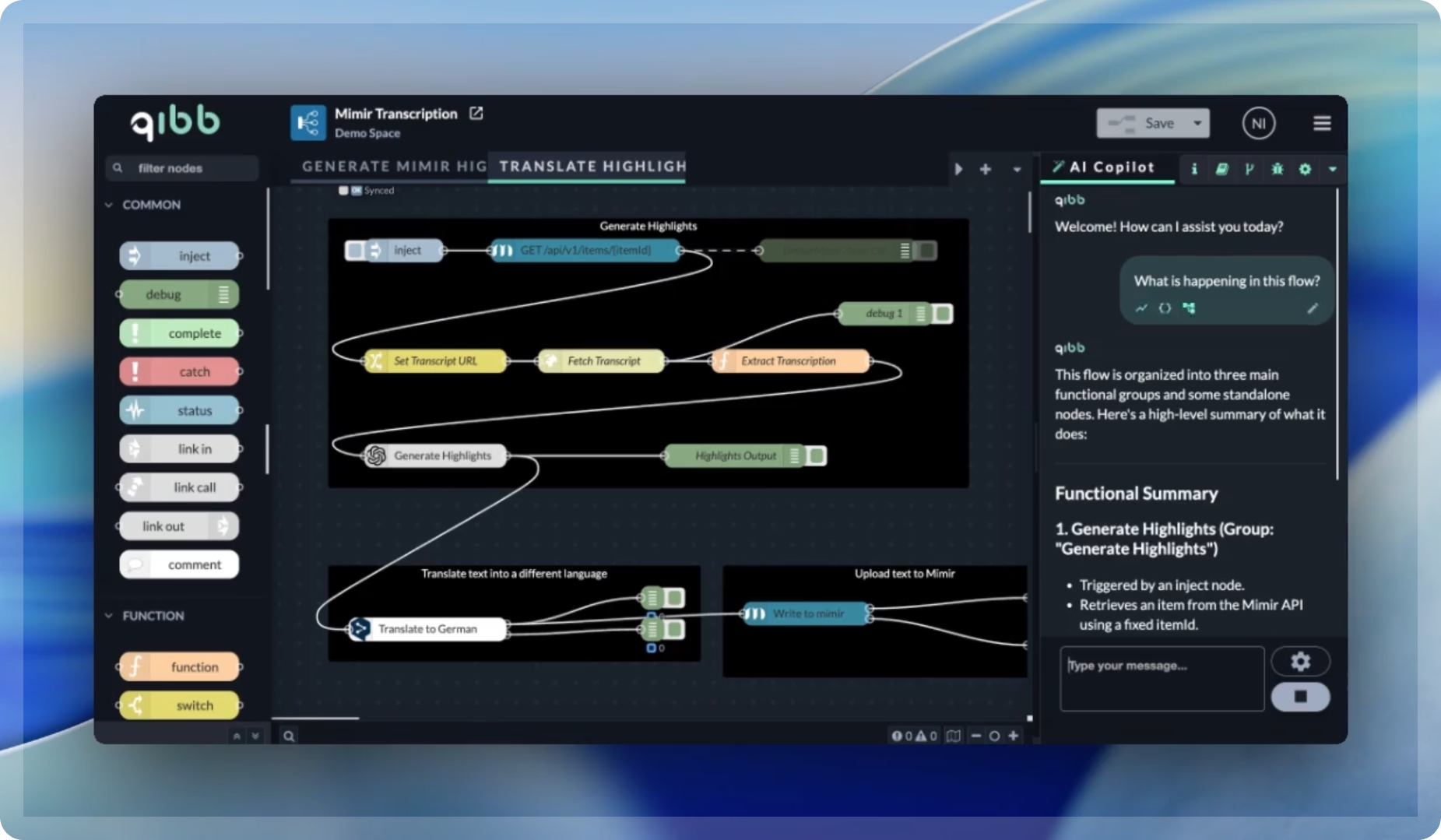
One of the biggest challenges in workflow automation is understanding existing implementations.
When revisiting an older project, inheriting a workflow from another team member, or onboarding new contributors, users often spend significant time tracing nodes and data paths just to understand what a workflow actually does.
qibb AI Copilot can analyze a workflow and explain:
- its overall purpose
- how data moves through the flow
- which nodes are doing the heavy lifting
- where the workflow could be extended or improved
Instead of manually reviewing every connection, users can quickly build a clear understanding of workflow logic and move forward with confidence.
Read more: Get up to speed on complex workflows with qibb AI Copilot
2. Debug workflows with context
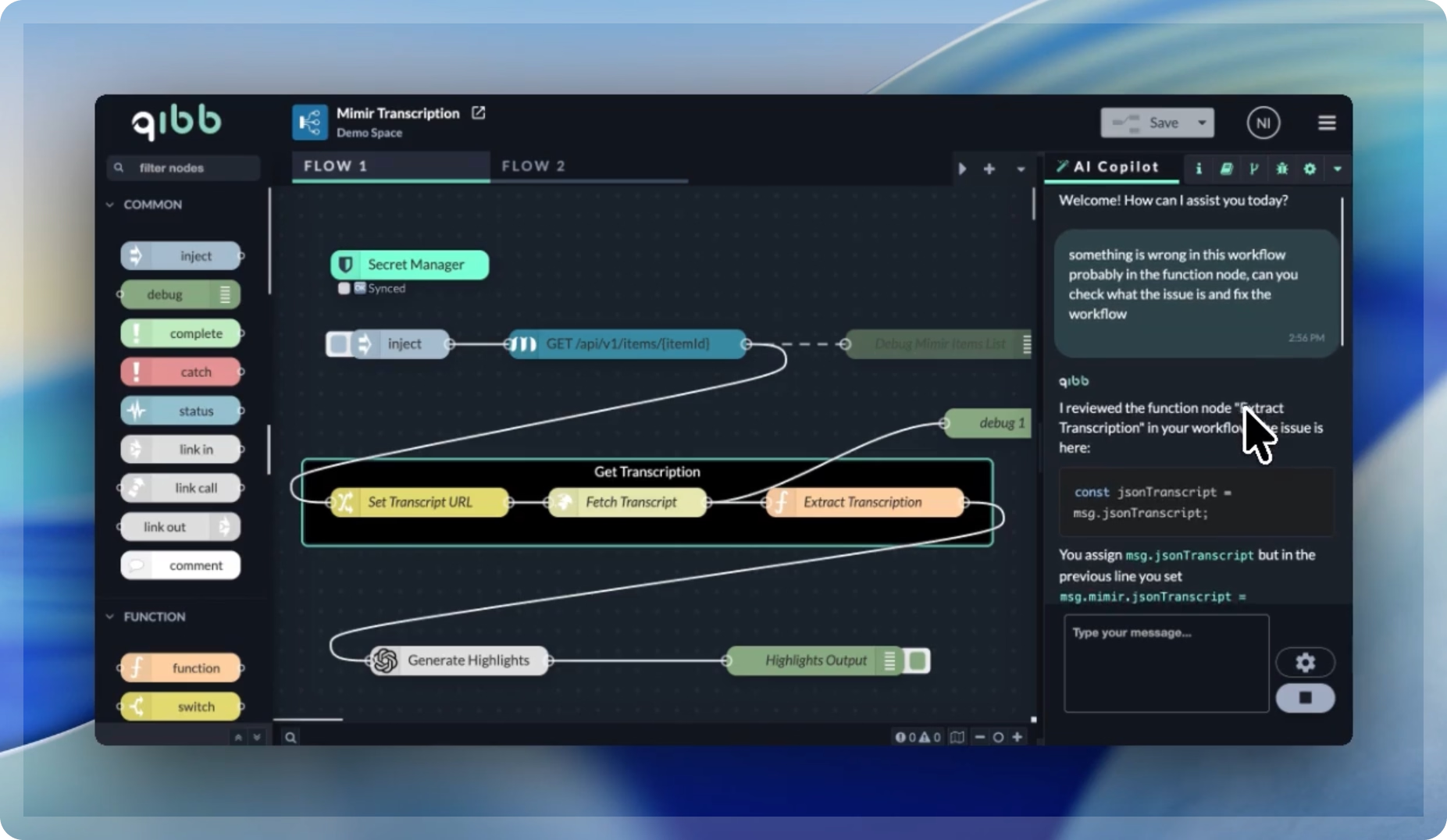
Troubleshooting workflow issues can be time-consuming, especially in larger automation environments.
When a workflow fails or behaves unexpectedly, qibb AI Copilot can analyze the workflow structure and help identify likely causes.
Users can ask targeted questions and receive guidance based on workflow context, helping them:
- identify misconfigurations
- understand unexpected behavior
- investigate failed executions
- reduce trial-and-error troubleshooting
This helps teams move from problem identification to resolution more efficiently.
Read more: Troubleshoot workflow issues faster with qibb AI Copilot
3. Analyze monitoring data more efficiently
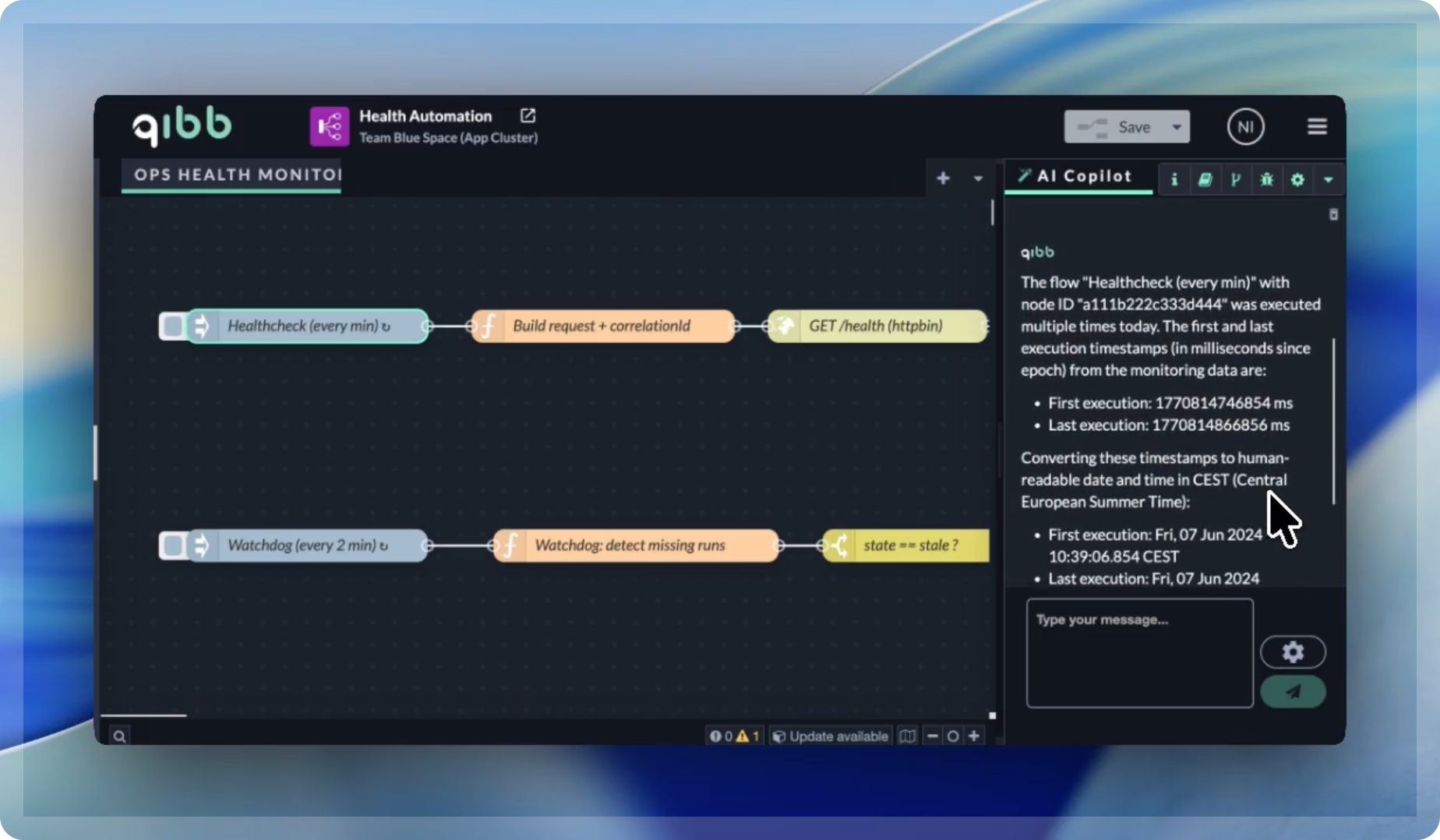
Understanding what happened during workflow execution often requires reviewing logs, monitoring information, and runtime behavior.
qibb AI Copilot can incorporate monitoring data and execution insights into its analysis, helping users understand:
- when workflows ran
- how workflows behaved
- whether execution patterns changed
- what may have caused interruptions
This provides valuable operational visibility without requiring users to manually connect information across multiple sources.
Read more: Gain deeper insight into workflow execution with qibb AI Copilot
4. Optimize workflow design
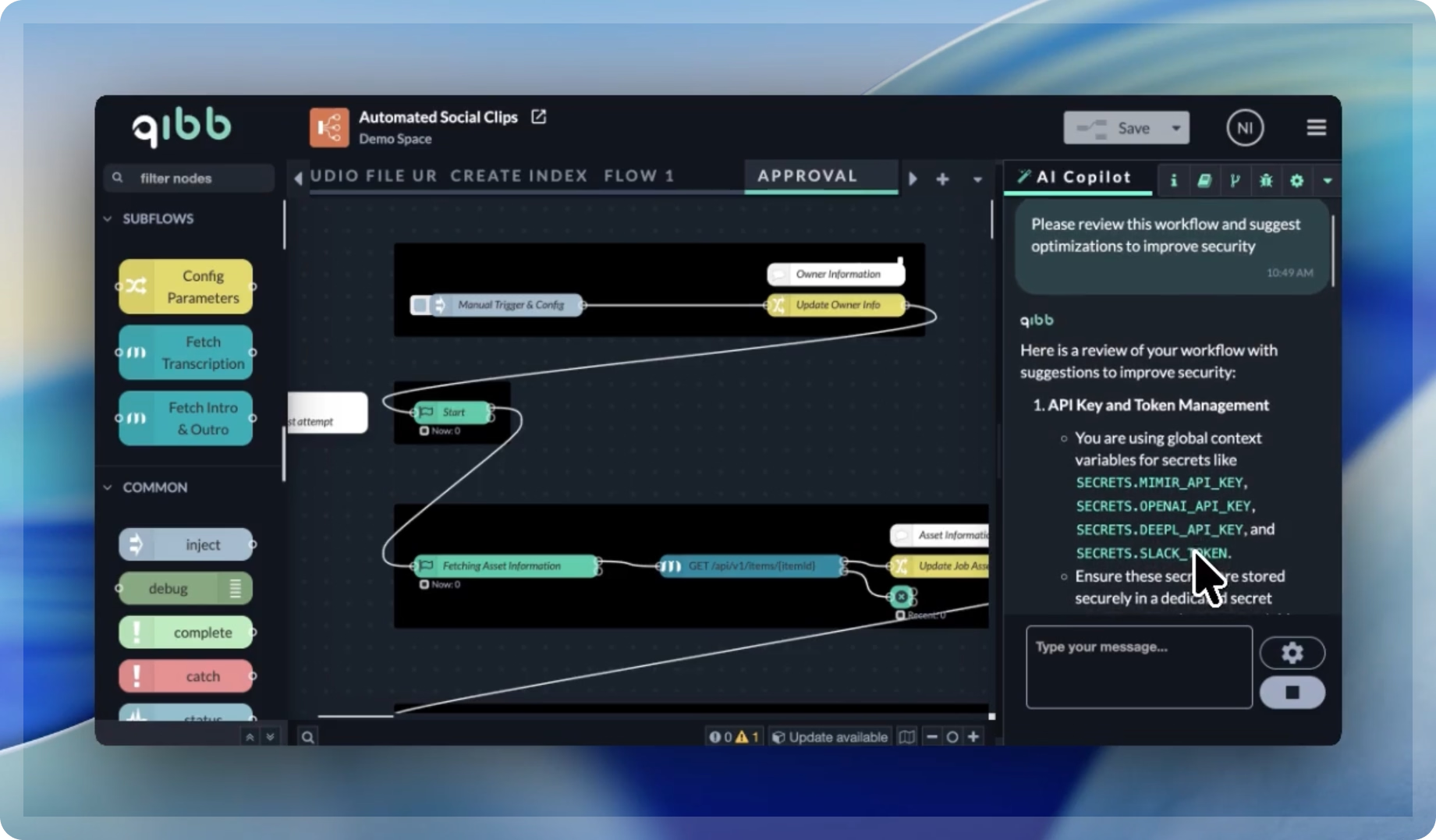
Many workflows work perfectly well, but could still be improved.
Over time, automation projects can become more complex than necessary, which makes them harder to maintain and extend.
qibb AI Copilot can review existing workflows and suggest improvements such as:
- simplifying logic
- removing redundant steps
- improving readability
- streamlining integrations
- optimizing data handling
This helps teams create workflows that are not only functional, but also maintainable and scalable.
Read more: Review and improve workflows with qibb AI Copilot
5. Generate documentation automatically
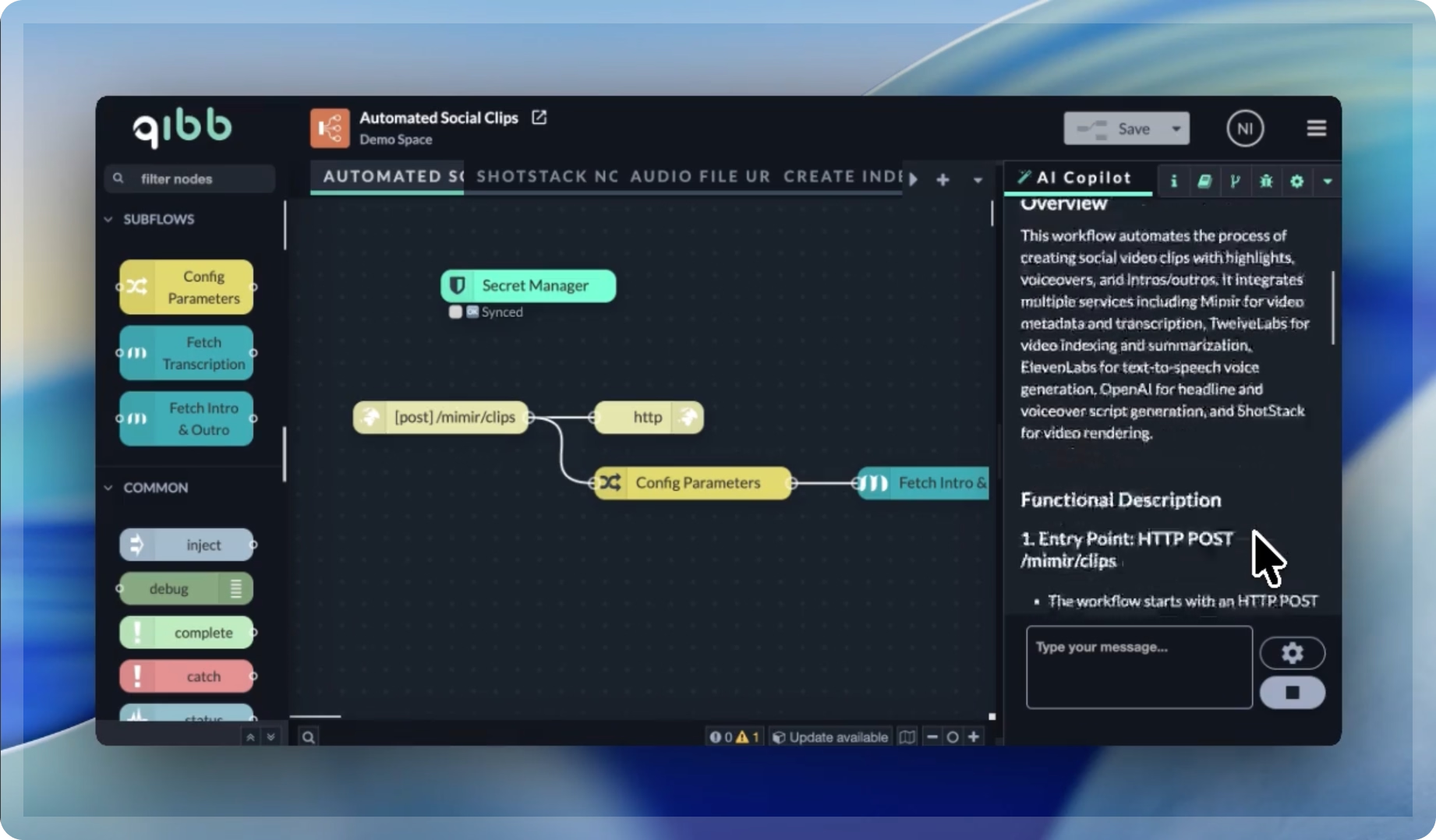
Documentation is essential, but it often becomes outdated because maintaining it takes additional effort.
qibb AI Copilot can generate structured workflow documentation directly from the implementation itself, including:
- workflow purpose
- data flow explanations
- node descriptions
- integration details
- logic explanations
Because documentation is generated from the workflow, it stays closely aligned with reality and can be produced in seconds rather than hours.
Read more: Generate workflow documentation with qibb AI Copilot
AI assistance across the workflow lifecycle
Most AI tools focus on a single task.
qibb AI Copilot supports teams across the entire workflow lifecycle, from understanding and troubleshooting to optimization and documentation.
By combining workflow context, monitoring insights, and conversational guidance directly inside the qibb platform, teams can spend less time on manual investigation and more time delivering reliable automation.
Ready to get started?
- Book a demo to see qibb AI Copilot in action.
- Already a customer? Start exploring AI Copilot in your qibb environment today.
This article is part of the qibb AI Copilot Spotlight Series, where we explore practical ways qibb AI Copilot helps teams understand, troubleshoot, monitor, improve, and document workflow automation.

qibb today


Monitor qibb in Datadog with our new observability integration

New in qibb: GitOps and more flexible Secret Management for Flows
Gain deeper insight into workflow execution with qibb AI Copilot
Five practical ways to build, operate, and improve workflow orchestration with qibb AI Copilot.
Build more resilient flow apps with runtime monitoring and app sizing
Introducing qibb's AI copilot: Your new intelligent partner for media workflow orchestration