01 / OBSERVE
See what's happening
Track workflow activity, processing stages, exceptions, and operational metrics across your connected systems.

OPERATIONAL DASHBOARDS
Monitor processing, manage exceptions, and trigger workflow actions in dashboards tailored to your team. Built to work with the media tools you already use.
VISIBILITY + CONTROL
Bring together the metrics, information, and controls your operators need across connected systems. Create tailored interfaces that help different teams understand what's happening, make decisions, and take action.
01 / OBSERVE
Track workflow activity, processing stages, exceptions, and operational metrics across your connected systems.
02 / CONTROL
Review outcomes, manage exceptions, and trigger workflow actions from the same interface without switching tools.
03 / CUSTOMIZE
Tailor dashboards to teams and processes as requirements evolve, while keeping the applications you already use.
BUILT FOR ACTION
A dashboard shouldn't only tell your team what happened. It should help them decide what happens next. Bring status, review steps and controls together in purpose-built interfaces.
See workflow status and processing issues across systems.
Review flagged results and manage exceptions with oversight.
Trigger workflow actions and resolve issues from one view.
WORKFLOW CONTROL + TECHNICAL OBSERVABILITY
qibb dashboards put workflow status, approvals, and actions in an operator's context. For deeper technical monitoring qibb can send application logs and metrics to observability platforms such as Datadog.
Explore the Datadog integration ↗Datadog Observability Integration is available as an Ultimate subscription add-on.
AI-ASSISTED CREATION
Creating a tailored operational dashboard once required specialist frontend skills and considerable development effort. AI-assisted coding changes the equation: teams can create HTML, CSS, and JavaScript interfaces faster, embed them in qibb, and connect them to their workflows. What used to be complex is becoming far more accessible.
An enterprise customer created a tailored operational dashboard independently, without qibb implementation support. A real example of how much more accessible custom interfaces are becoming.
DASHBOARDS IN PRACTICE
These aren't reporting screens for their own sake. Each dashboard is tailored to a workflow and brings together the status, context, decisions, and controls its operators need. Explore four ways teams can monitor and act across connected media services.
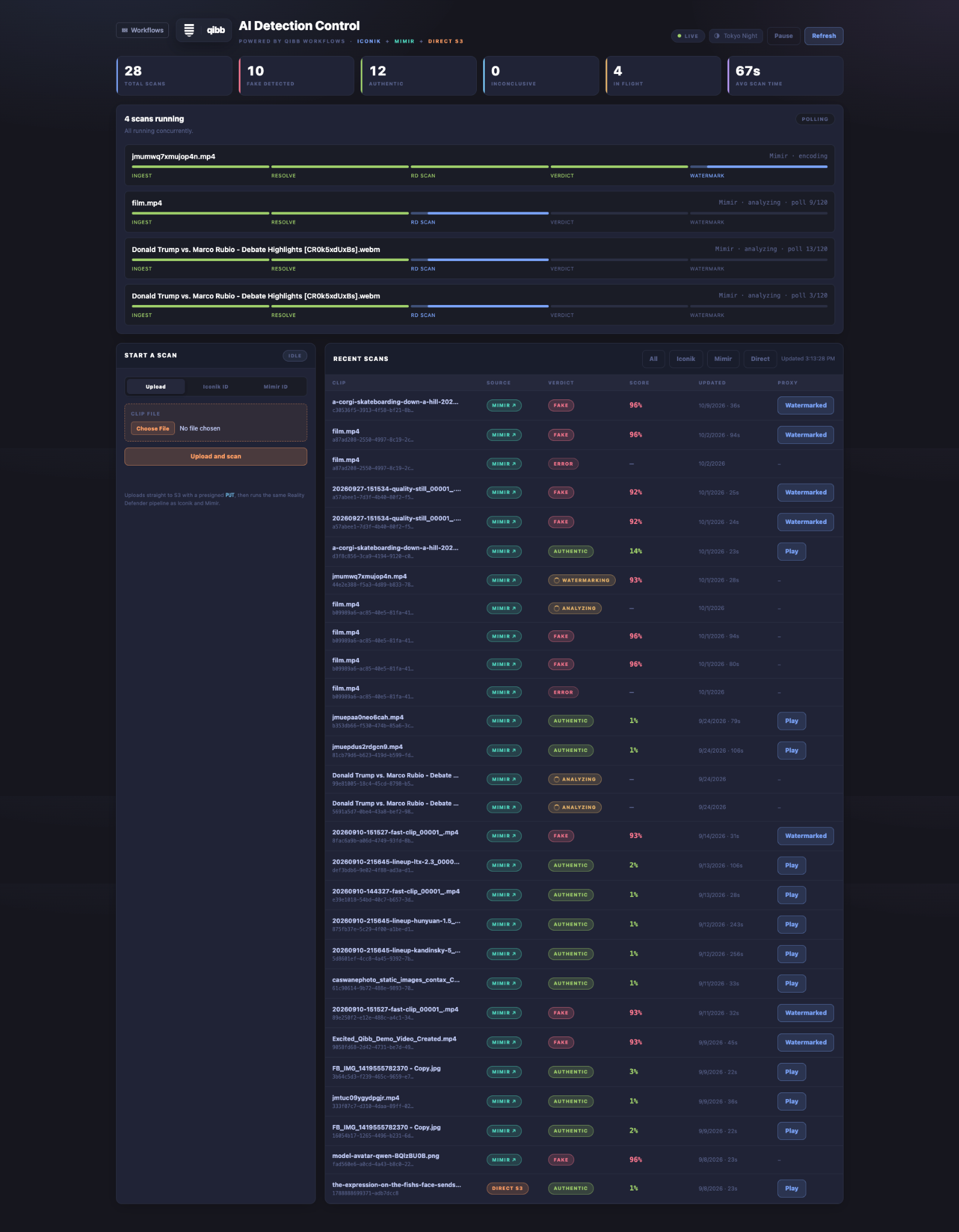
See scan results and processing stages at a glance. Identify stalled jobs, review outcomes, and launch relevant workflow actions from one interface.
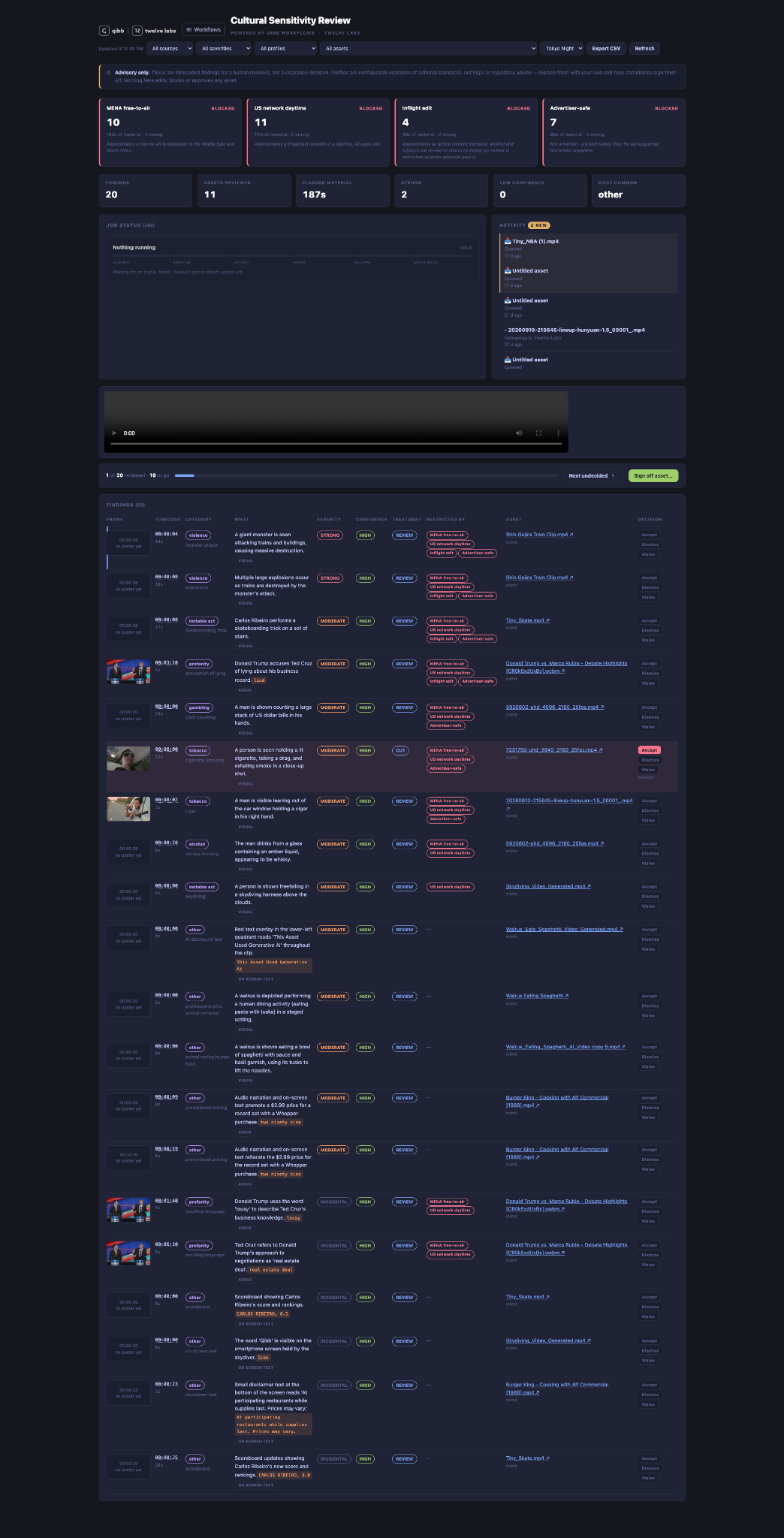
Bring AI-generated flags into a human review queue. Inspect findings, approve or reject results, and manage exceptions with the full workflow context.
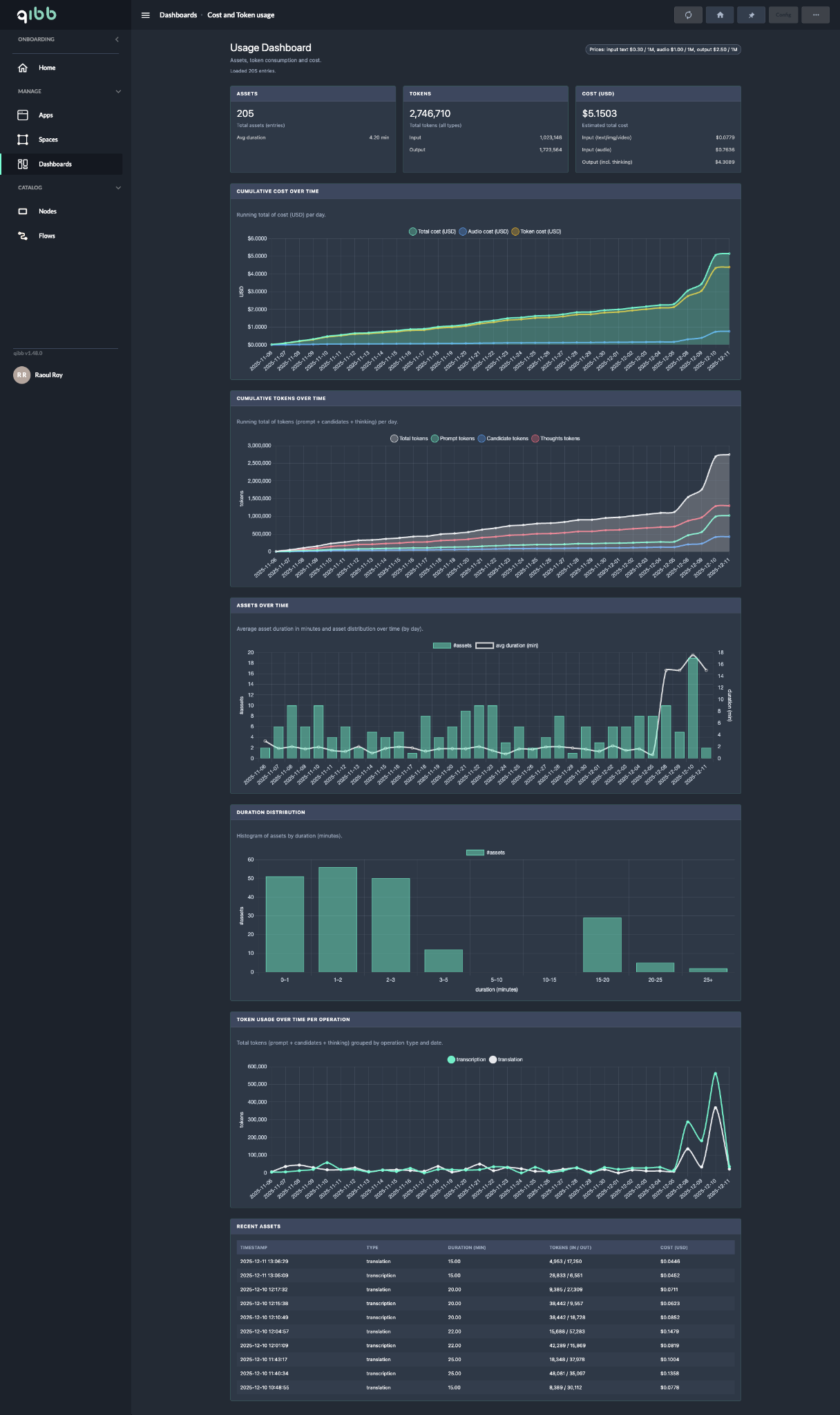
Track token consumption, AI usage, and estimated processing costs over time. Spot trends and understand where resources are being used across workflows.
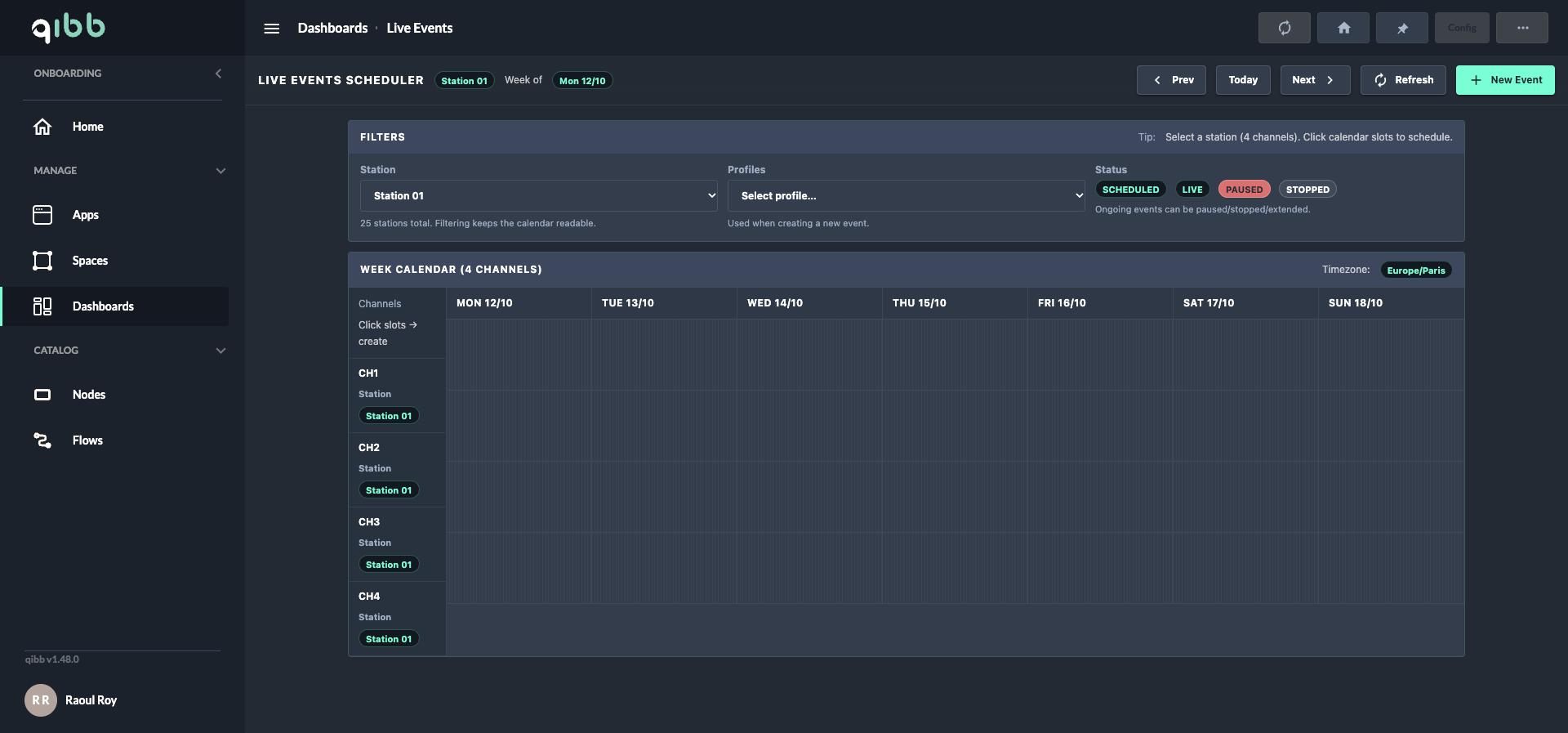
Coordinate event schedules and channel assignments, see planned or active productions, and initiate relevant actions from a shared operational calendar.
CUSTOMER STORY
A leading sports broadcaster launched a production-scale cloud-native MCR in under 10 weeks. The environment supports 12 linear channels and 50+ operational dashboards, with qibb orchestrating workflows across scheduling, monitoring, commentary, and playout.
Read the cloud-native MCR success story ↗LIVE PRODUCTION ORCHESTRATION AT A GLANCE
Match information, event triggers, and production requirements
Workflows, safeguards, job tracking, and operator actions
Routing, monitoring, commentary, and playout applications