


At a glance
- 26 systems connected: Specialist media and business platforms operate as one connected environment.
- 17 areas of automation: Automation reaches from event planning and resource booking to delivery and archive.
- Around 30 live workflows: Modular Flow Apps handle routine activity and the heavier demands surrounding live events.

The situation
Bringing a major production operation in-house with no room for disconnected systems
When one of the world's biggest sporting organizations brought production operations in-house, it had to connect new teams and facilities with 26 media and business systems.
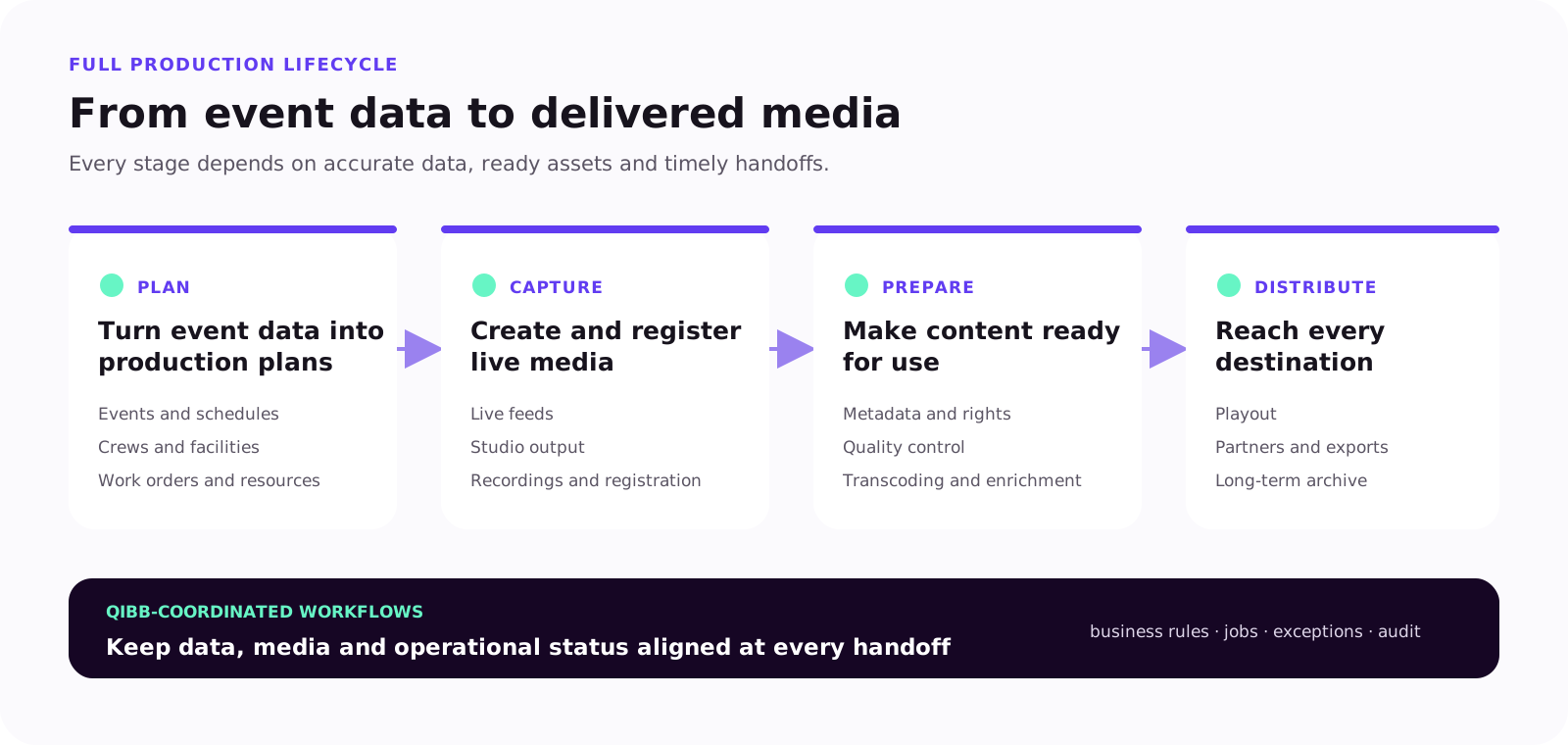
Event data had to trigger production planning, resource bookings, newsroom activity and media preparation. Once coverage began, content had to move through ingest, processing, quality control, playout, delivery and archive against live deadlines.
Connecting every application directly would have locked that complexity into a growing web of integrations. Every new platform or process change could then require multiple connections to be rebuilt. The organization needed a way to coordinate the full production lifecycle without replacing the specialist systems its teams relied on.
The challenge
One live event triggers work across the entire production chain
New or updated event data must reach every team and system that depends on it.
When an event time changes, production schedules, crew bookings, facilities, work orders, newsroom plans and media placeholders all need to catch up. Once coverage starts, recordings must be registered, enriched, checked, routed, played out and archived on time.
At every handoff, stale data, missing media or an incomplete update can block the next stage. The organization needed those handoffs to be coordinated, visible and easier to recover when something went wrong.
The solution
One orchestration platform. Modular workflows for every process.
qibb became the coordination layer between the organization's 26 media and business systems. Instead of embedding workflow logic in a growing network of direct integrations, teams use modular Flow Apps to manage each process independently.
Each Flow App connects only the systems required for that workflow, applies its business rules and exposes execution status to operations teams. Shared platform services provide identity, credential management, monitoring and visibility across the wider environment.
This gives teams shared operational control without turning every workflow into one tightly coupled system. Individual processes can change while unrelated workflows continue running.
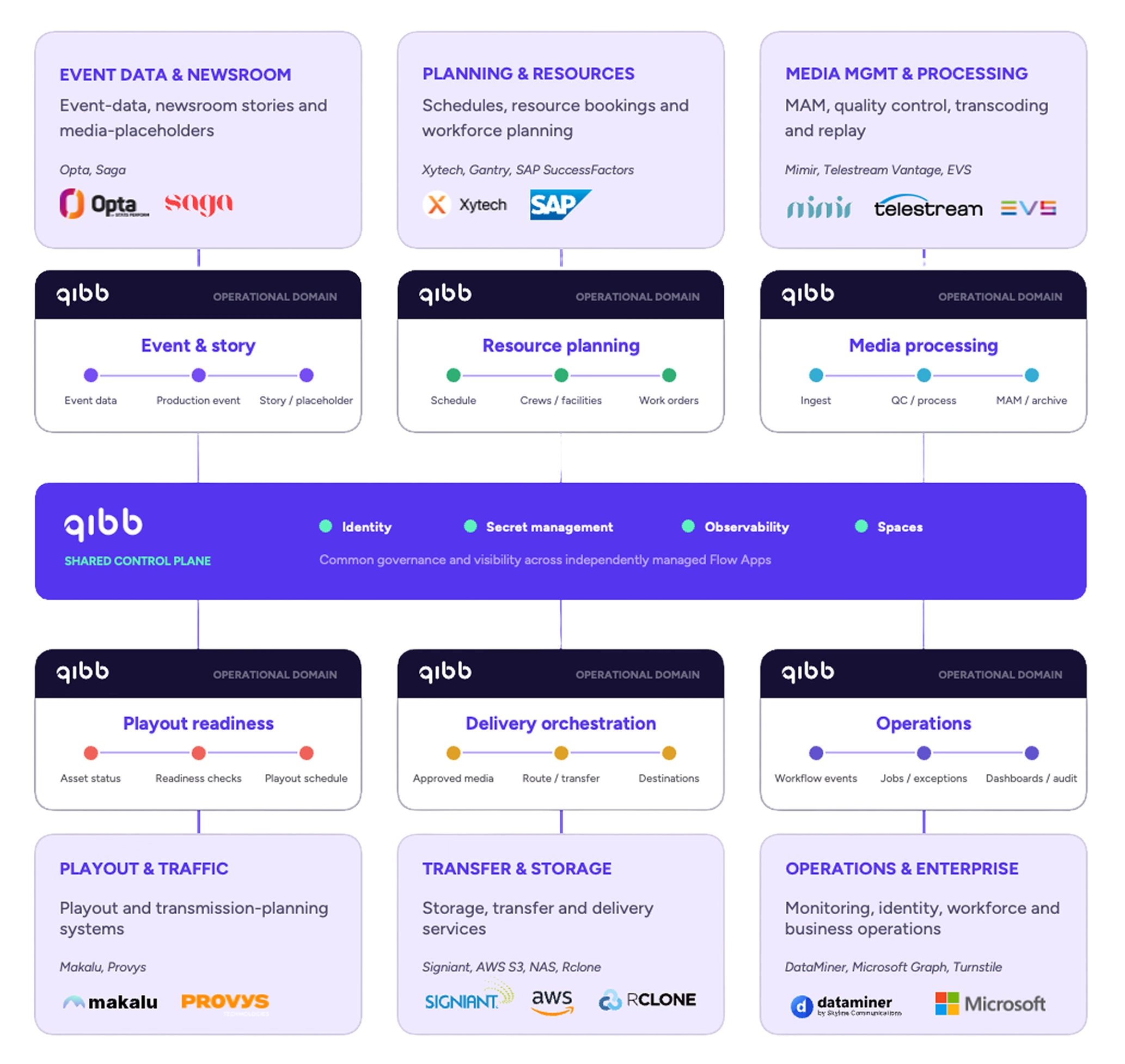
These examples show how qibb coordinates distinct parts of the operation. They are selected from the broader set of 17 areas of automation rather than intended as a complete workflow inventory.
The implementation
Prove the workflow pattern, then expand it
The team began with workflows connecting event information, production planning and media management. From there, the team reused the same integration patterns and expanded the Flow App portfolio across planning, newsroom, media processing, playout, delivery and archive — without redesigning the foundation for every new workflow.
The results
From proof of concept to production backbone
What began as a focused proof of concept now supports around 30 live workflows across 17 areas of automation.
Daily activity rises from approximately 3,000 workflow executions on a routine day to around 8,000 on an event day. A single event can generate up to 60 work orders, while more than 250 media jobs can move through the operation even on a quieter day.
The impact is operational, not simply numerical. Teams can see what is running, act on exceptions and extend the environment without rebuilding the workflows already supporting production.

Change one workflow without reopening the whole architecture
Each Flow App owns a defined process, so teams can change it without reworking unrelated workflows.
Keep shared data aligned across systems
Business rules and data transformations keep schedules, metadata and operational state aligned as information moves between applications.
Surface exceptions before they block the next stage
Dashboards and notifications show which jobs need attention, while audit trails provide the context to investigate them.
Add integrations without rebuilding live workflows
Teams can introduce new systems and destinations while preserving the workflows already supporting production.
Behind the live action, qibb keeps production workflows moving
Connect planning, production, media management, playout and distribution through one flexible orchestration layer. Book a platform demo →
